

Prerequisites #
- Obsidian installed — obsidian.md
- Obsidian Copilot plugin installed and enabled
- A WoAiToken account with credits — new.woaitoken.com
- Your NewAPI API key (get it in Step 1)
Step 1 — Get Your API Key #
1. Open the console
Visit new.woaitoken.com/dashboard/overview and sign in.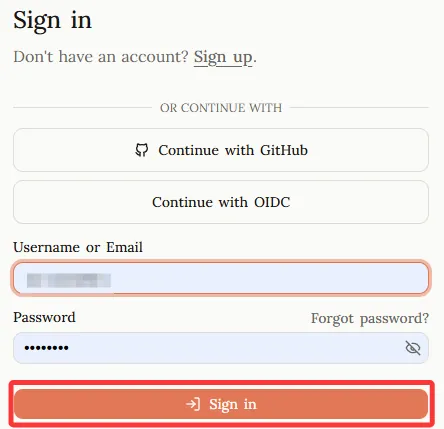
2. Create a token
Go to API Keys → Add Token. Give it a name (e.g. “Claude Code”), set no expiration, then click Submit.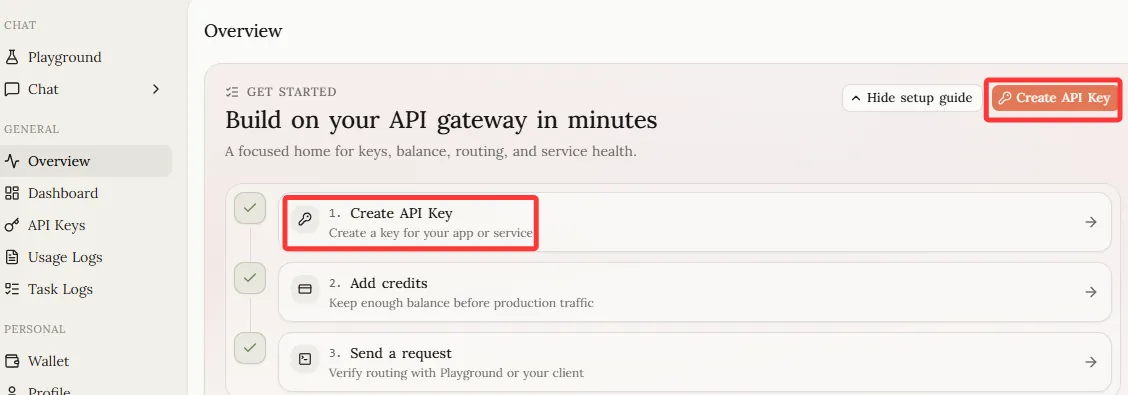
3. Copy the key
Copy the generated key — it starts with sk-..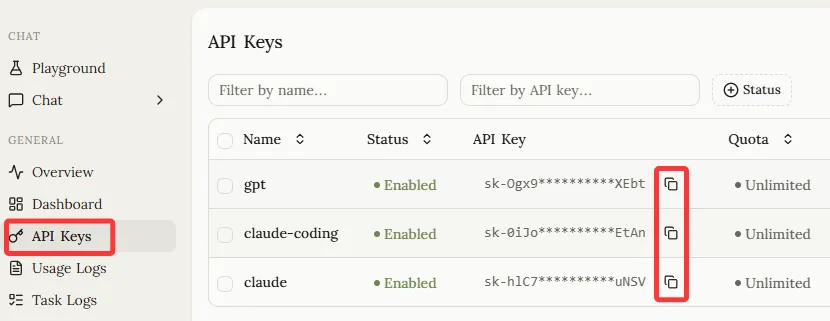
Step 2 — Install Obsidian Copilot #
- Open Obsidian → Settings → Community Plugins
- Click Browse, search for Copilot
- Install and enable the plugin
Step 3 — Configure Obsidian Copilot #
1. Open plugin settings
Go to Obsidian Settings → Community Plugins → Copilot.
2. Set your API Key
Under the General section, find API Keys and click the Set Keys 🔑 button on the right.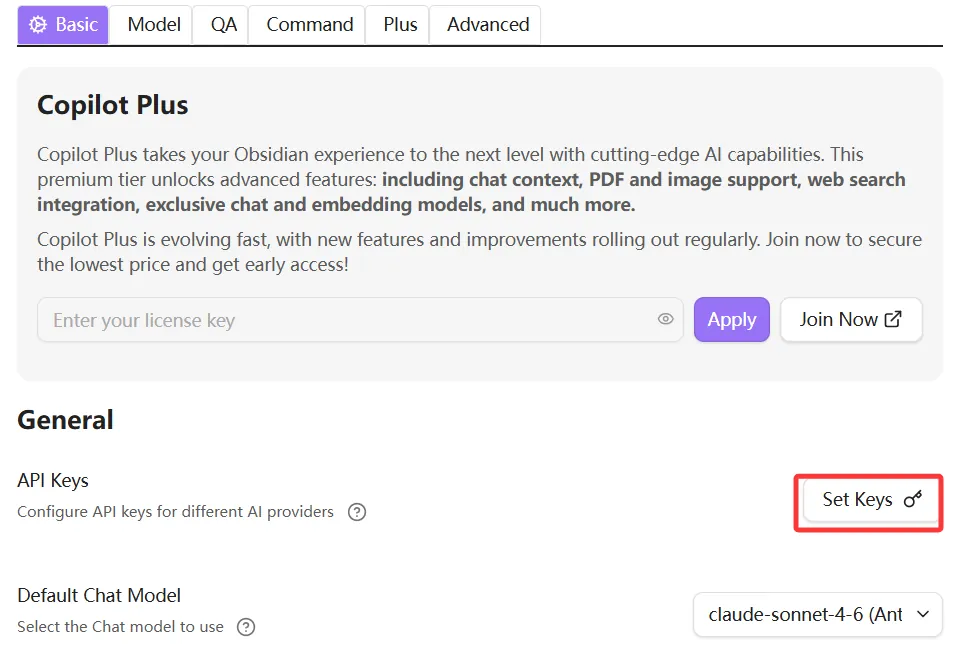
3. Enter your key
In the provider list that appears, find the Anthropic row and enter your WoAiToken API key.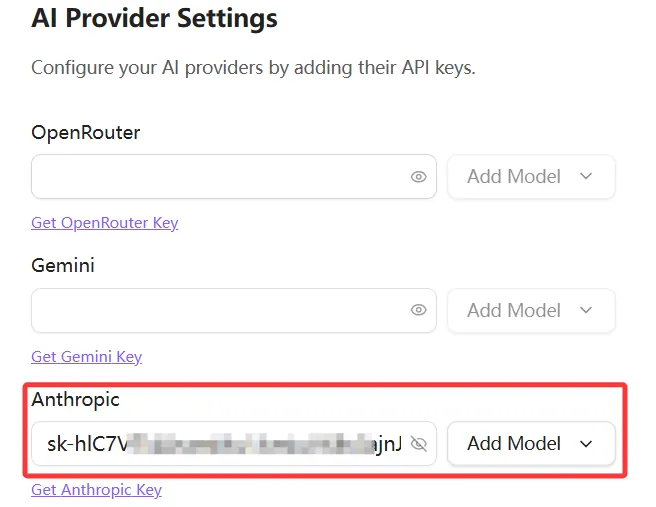
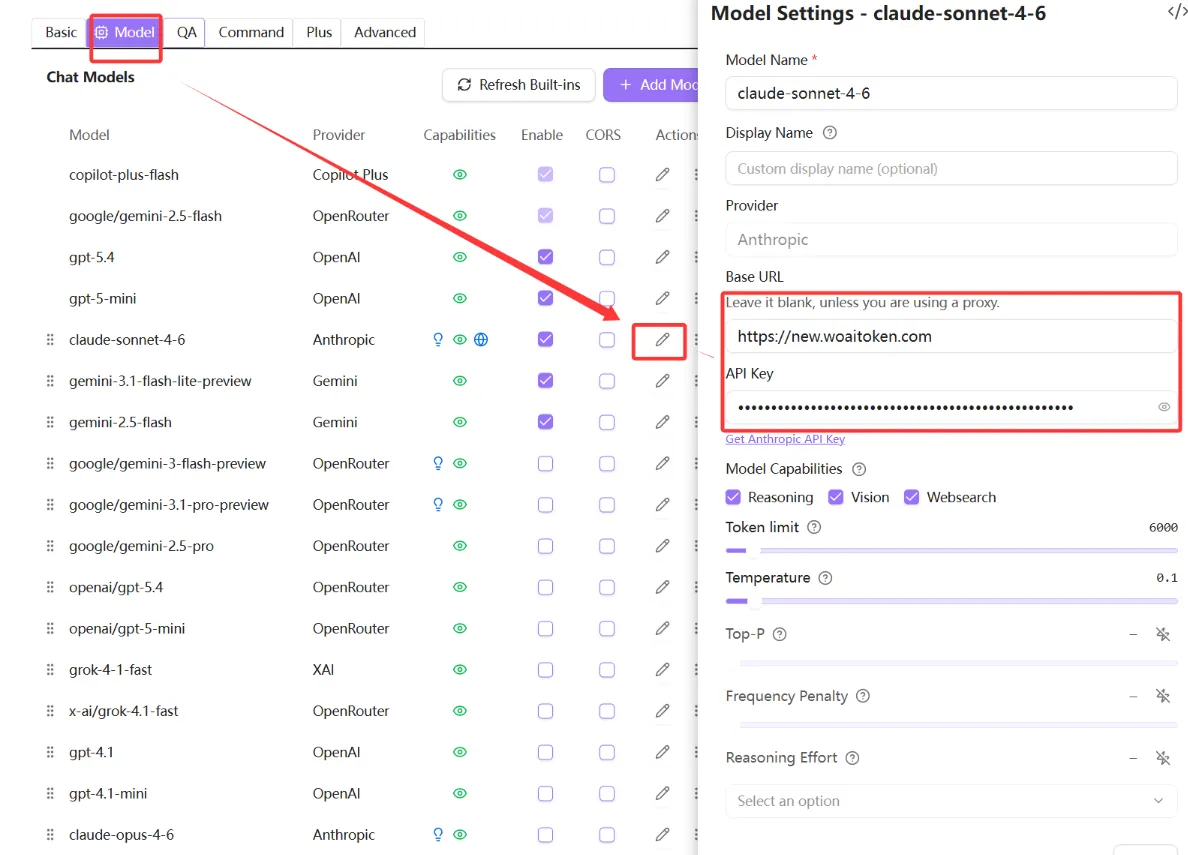
4. Configure model & Base URL
Switch to the Model tab at the top and fill in the following:
- Base URL:
https://new.woaitoken.com - API Key:
sk-your-key-here
Step 4 — Verify #
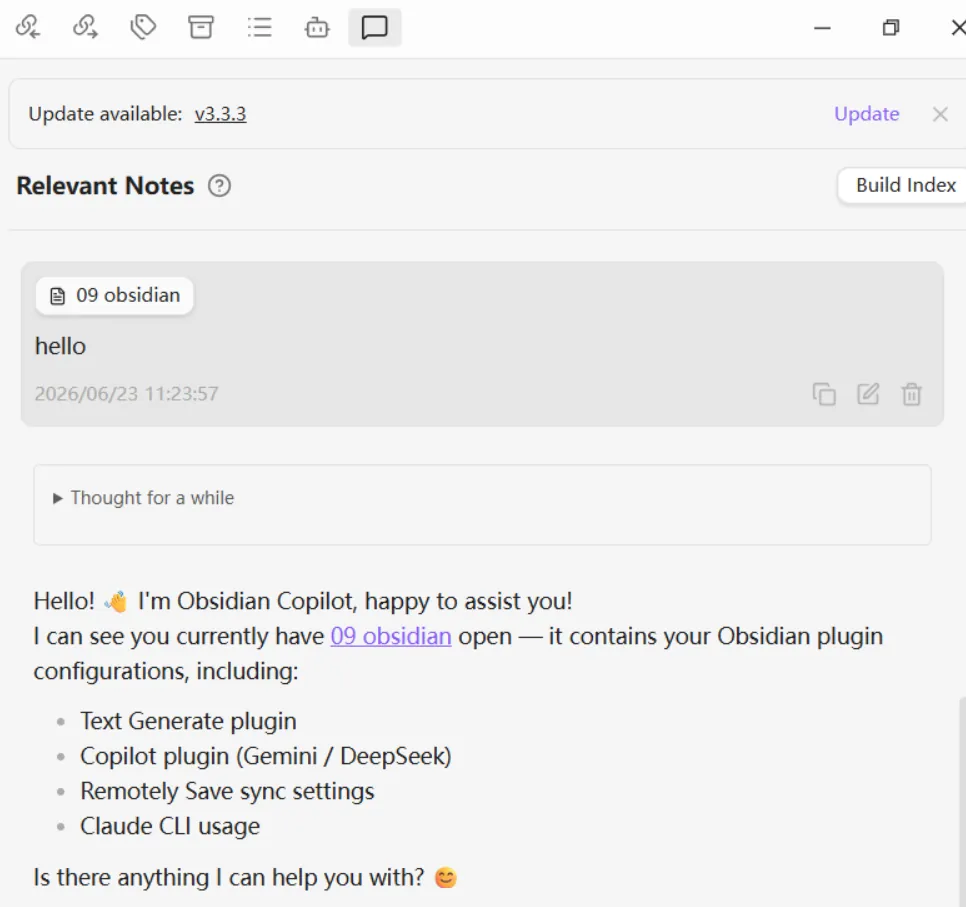
- Open the Copilot panel (
Ctrl / Cmd + Shift + P→ search “Copilot”) - Send a test message (e.g. “Hello”)
- A response confirms the connection is working ✅
Troubleshooting #
| Issue | Solution |
|---|---|
| “Invalid API key” error | Make sure the key starts with sk- and has no extra spaces |
| No response / timeout | Confirm the API Base is https://new.woaitoken.com/v1 (with /v1) |
| Model not available | Check available models at new.woaitoken.com/dashboard/overview |
| 429 Too Many Requests | Your credits are used up. Top up at woaitoken.com |


