

Prerequisites #
- Claude Code installed — claude.ai/code
- A WoAiToken account with credits — new.woaitoken.com
- Your NewAPI API key (get it in Step 1)
Step 1 — Get Your API Key #
1. Open the console
Visit new.woaitoken.com/dashboard/overview and sign in.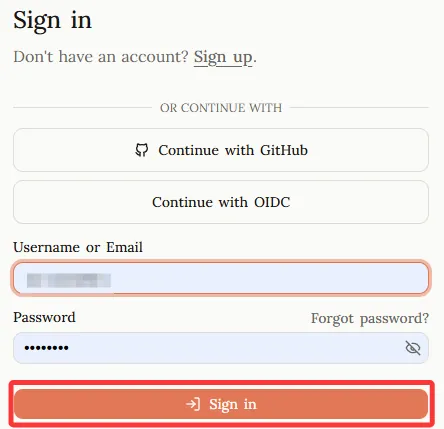
2. Create a token
Go to API Keys → Add Token. Give it a name (e.g. “Claude Code”), set no expiration, then click Submit.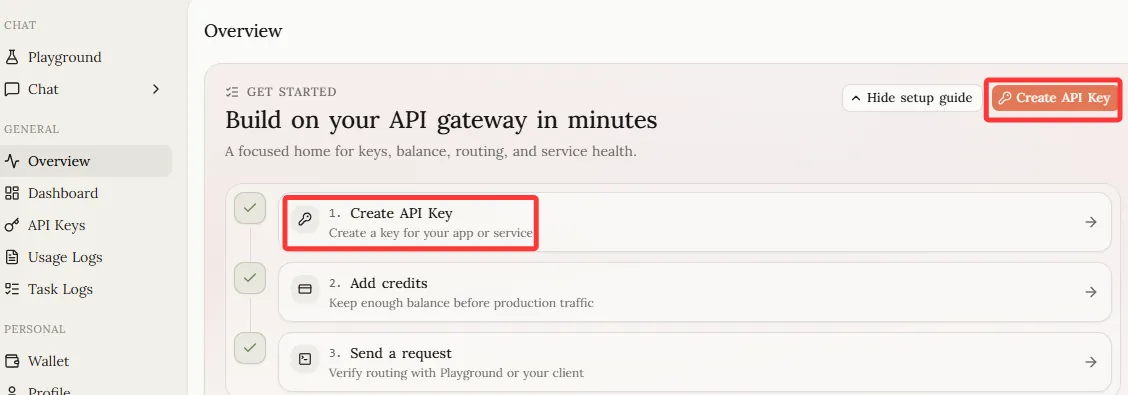
3. Copy the key
Copy the generated key — it starts with sk-..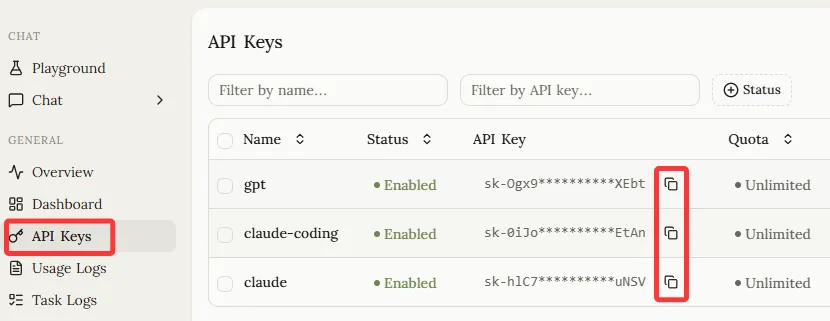
Step 2 — Configure Claude Code #
Claude Code uses two environment variables to connect to a custom API endpoint:
ANTHROPIC_BASE_URL = "https://new.woaitoken.com"
ANTHROPIC_API_KEY  = "sk-your-key-here"
Choose one of the following methods:
Method A — settings.json (Recommended) #
Edit or create ~/.claude/settings.json:
{
  "env": {
    "ANTHROPIC_BASE_URL": "https://new.woaitoken.com",
    "ANTHROPIC_API_KEY": "sk-your-key-here"
  }
}
✅ Save the file and run
claudeimmediately — no terminal restart needed.
Method B — Shell Profile (Permanent) #
macOS / Linux — add to ~/.zshrc or ~/.bashrc:
export ANTHROPIC_BASE_URL="https://new.woaitoken.com"
export ANTHROPIC_API_KEY="sk-your-key-here"
Then reload:
source ~/.zshrcWindows PowerShell:
[Environment]::SetEnvironmentVariable("ANTHROPIC_BASE_URL","https://new.woaitoken.com","User")
[Environment]::SetEnvironmentVariable("ANTHROPIC_API_KEY","sk-your-key-here","User")
⚠️ Open a new terminal window after running for changes to take effect.
Method C — One-time Session (Testing Only) #
ANTHROPIC_BASE_URL="https://new.woaitoken.com" \
ANTHROPIC_API_KEY="sk-your-key-here" \
claude
⚠️ Only active for the current terminal session. Use Method A or B for permanent setup.
Method D — CC Switch (GUI, Multi-provider) #
CC Switch is a desktop app that manages multiple AI API configurations through a GUI — no manual JSON editing needed. Ideal if you switch between multiple API services.
Install
Download from ccswitch.io, or on macOS via Homebrew:
brew tap farion1231/ccswitch && brew install --cask cc-switchConfigure
Go to new.woaitoken.com/keys → click API Keys → choose CC Switch: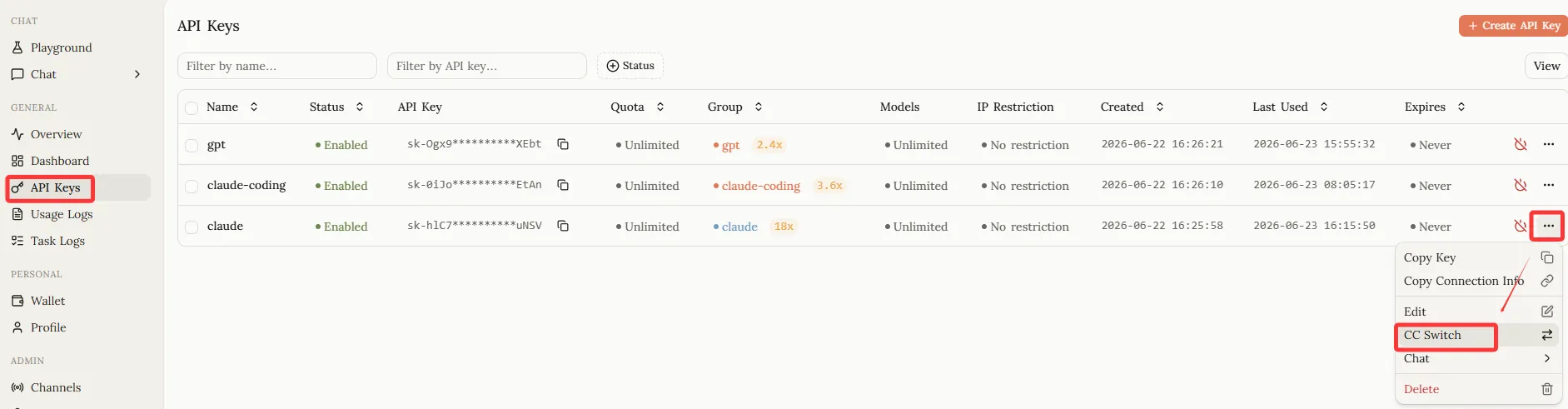
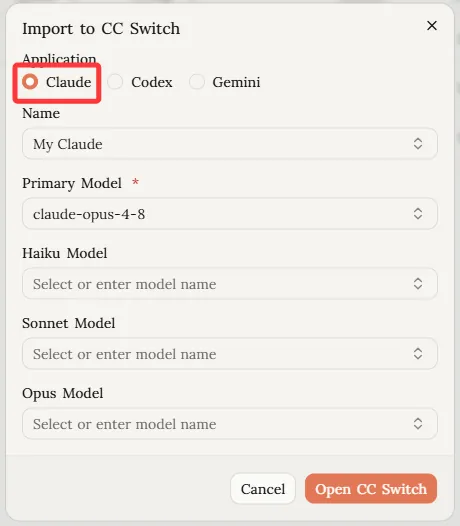
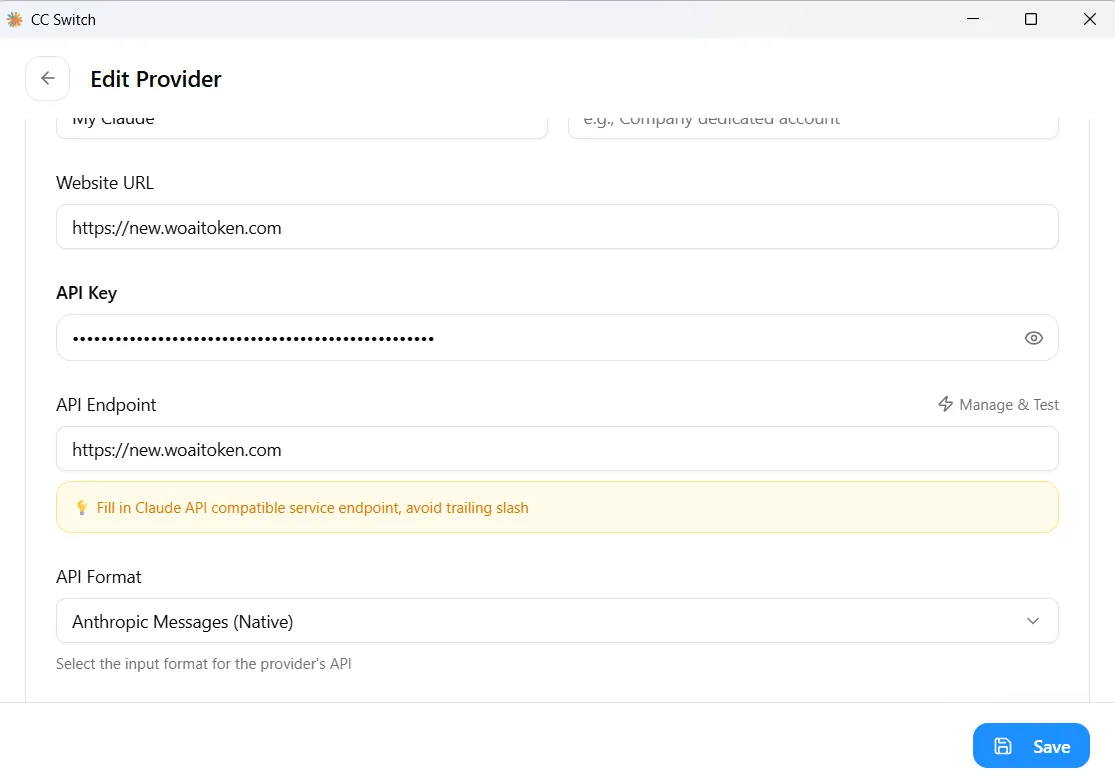
Test Configuration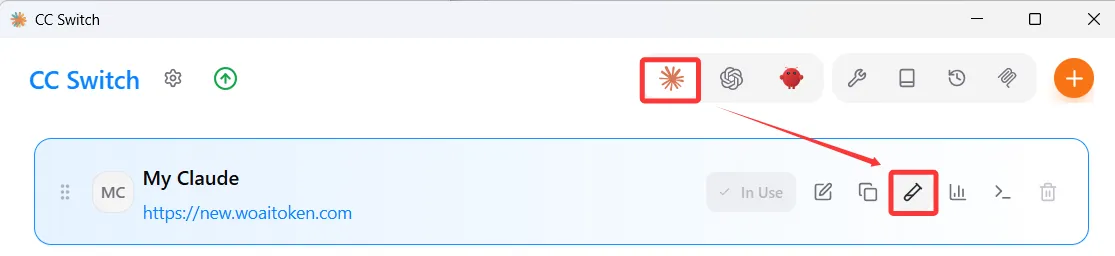
Step 3 — Verify #
Send a quick test message to confirm the API connection works:
claude -p "hello"If Claude replies, you’re all set ✅.
Troubleshooting #
| Issue | Solution |
|---|---|
| 401 Unauthorized | Check your API key is complete (including the sk- prefix) with no extra spaces |
| Connection timeout | Confirm ANTHROPIC_BASE_URL is exactly https://new.woaitoken.com — no trailing slash, no /v1 suffix |
| 429 Too Many Requests | Your account credits are used up. Top up at woaitoken.com |
| settings.json not taking effect | Confirm the file is at ~/.claude/settings.json. Check for JSON syntax errors — a missing comma breaks the whole file |
claude doctor shows a lot of ✗ marks |
No issue. The Remote Control ✗ entries only apply to claude.ai subscribers. When using an API key, those checks are not relevant and can be ignored |


